Applied AI Bootcamp · July 2026 · Now Open

The Applied AI Course for Professionals
Ready to Level Up.

Use AI at full power. Learn how to cut your workload and leave the competition behind.

8
Saturdays
32
Live Hours
7
Capstones
40+
Tool Categories
At a Glance
July 2026
8 Saturdays · 2pm – 6pm
Hatch Works, Colombo
In-person at the Hatch ecosystem
LKR 65,000
Includes certificate, tool access, materials
No prerequisites
No coding, no AI background needed
Lock My Seat
Backed by our partner ecosystem
HatchWorks
Spectrify AI
Veracity Group
Vector Agents
Loops Integrated
Anton
Orion Stellar
HatchWorks
Spectrify AI
Veracity Group
Vector Agents
Loops Integrated
Anton
Orion Stellar
The Programme Promise

We don't just show you tools. We shift the way you think.

This applied AI course is built for professionals who want more than surface-level familiarity. So when new tools emerge next month or next year, you already know how to evaluate them, adopt them, and stay ahead — on your own. You leave with redesigned workflows, your own personal AI stack, and seven live deliverables you'll actually use.

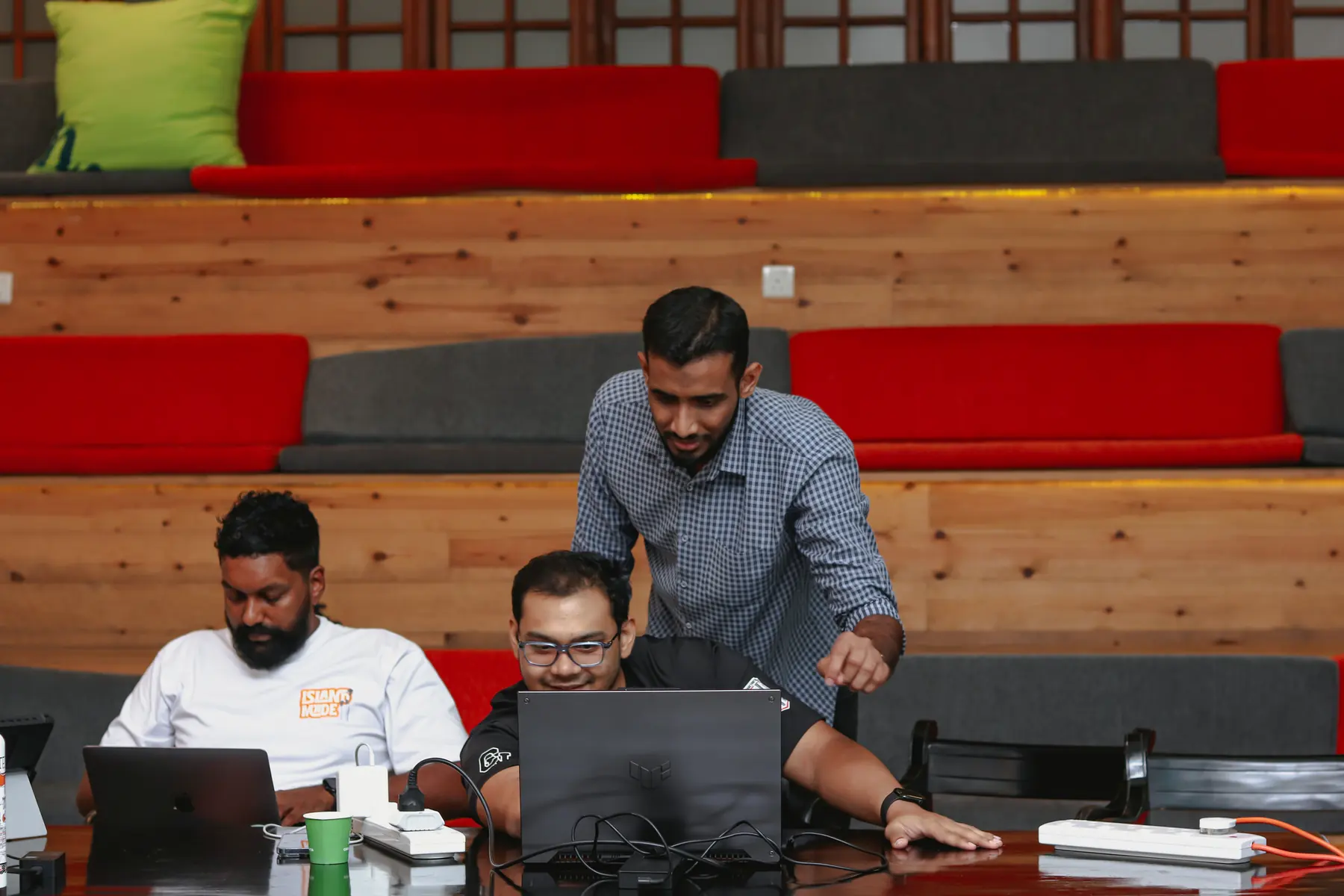
A professional with a laptop at Hatch Works, Colombo
Programme at a Glance

The Format.

Compact, in-person, conversion-focused. Designed for working professionals who need to fit deep AI capability around a real schedule.

Format
8-Week Live Cohort + Domain Track (Week 6) + Demo Day (Week 8)
Schedule
Saturdays · 2pm – 6pm · 8 sessions over 8 weeks (Week 7 online)
Location
In-person at Hatch Works, Colombo
Capstones
7 live capstone builds, one major deliverable per session
Investment
LKR 65,000 cohort fee
Outcome
AI-Ready Professional with 7 portfolio-ready deliverables
Master Schedule

8 Saturdays. 7 Capstone Builds.

One live session every Saturday, 2pm – 6pm at Hatch Works. Each session is hands-on and produces one portfolio-ready capstone build. Click any week to expand.

Week 1 · One Saturday · 4 modules · 1 capstone

Foundations, Mindset, and Your Personal AI Stack

+

Saturday 1 establishes the two things that determine whether AI adoption actually works: the right mindset, and a mapped understanding of your current workflows. Only then do we introduce tools — starting with the four that will anchor your professional AI practice.

Saturday 1 · Module 1

Mindset Shift — From Tool User to AI-Enabled Professional

The foundation before any tool
  • The difference between using AI and thinking with AI
  • Why most AI adoption fails — the implementation gap
  • From reactive to proactive: how AI-enabled professionals operate
  • Your current workflow vs your AI-augmented future
  • Psychological barriers to AI adoption and how to overcome them
Tools: Claude.ai, ChatGPT — exploratory prompting session
Saturday 1 · Module 2

Current Workflow Mapping

Before automating anything, understand what you actually do
  • The professional workflow audit — what do you spend time on?
  • Identifying high-frequency, low-creativity tasks (prime automation targets)
  • Mapping your decision layer — where do you actually add value?
  • The AI readiness matrix: effort vs. impact for your role
Tools: Miro / Whimsical for workflow mapping, Claude for analysis
Saturday 1 · Module 3

AI Foundations and Prompting

From curiosity to fluency
  • Demystifying AI, ML, LLMs, and Generative AI — what actually matters
  • How language models work: tokens, context windows, and inference
  • Role prompting, chain-of-thought, few-shot, and tree-of-thought techniques
  • Creating reusable prompt libraries and AI Projects in Claude
Tools: Claude.ai, ChatGPT, Gemini — comparative prompting
Saturday 1 · Module 4

Claude Code, Obsidian, Wispr Flow, and Motion

The AI-enabled professional's daily toolkit
  • Claude Code: writing, debugging, and deploying code without a developer background
  • Obsidian: building a personal knowledge management system linked to your AI workflow
  • Wispr Flow: voice-to-text AI dictation for capturing thoughts, notes, and prompts
  • Motion: AI-powered calendar that auto-schedules your day
  • Integrating the four tools into a seamless daily operating system
Tools: Claude Code, Obsidian + plugins, Wispr Flow, Motion.so
Saturday 1 · Capstone Deliverable
Your full personal AI operating system: Claude Code, Obsidian, Wispr Flow, and Motion set up, configured, and running by end of session.
Week 2 · One Saturday · 2 modules · 1 capstone

Multimodal AI and Custom Assistants

+

Saturday 2 expands beyond text into voice, image, and video as AI inputs and outputs. You build custom assistants grounded in your own data and turn minimal inputs into finished professional outputs.

Saturday 2 · Module 1

Multimodal Capture and Drafting

Text, voice, image, and video as AI inputs
  • Working with images: OCR, document analysis, visual briefings
  • Voice capture workflows: notes, memos, and briefs
  • Video transcription and meeting intelligence with Granola
  • Building templates AI can populate from minimal inputs
Tools: Wispr Flow, Claude, Otter.ai, Granola
Saturday 2 · Module 2

Context Layer and Custom Assistants

Teaching AI about your world
  • Knowledge bases, RAG, and why context is everything
  • Building Claude Projects grounded in your documents and data
  • Custom GPTs and assistant personas for specific workflows
  • Connecting your Obsidian vault as a living knowledge base
Tools: Claude Projects, Custom GPTs, Voiceflow, Obsidian
Saturday 2 · Capstone Deliverable
A custom AI assistant trained on your company context and role documentation: live, queryable, and integrated into your workflow.
Week 3 · One Saturday · 1 module · 1 capstone

Creativity

+

Saturday 3 moves into generative creativity, using AI across image, video, audio, and voice to take a single brief all the way to a finished, brand-consistent asset.

Saturday 3 · Module 1

Generative AI for Creativity

From brief to finished asset
  • AI image generation (Midjourney, Ideogram) for presentations and comms
  • Video generation (Hailuo, Runway, Veo3) for internal and external use
  • Audio and voiceover (ElevenLabs, Suno) for narration and content
  • Brand-consistent creative output without a design team
  • Taking one brief from concept to a finished, polished deliverable
Tools: Midjourney, Ideogram, Runway, ElevenLabs, Suno
Saturday 3 · Capstone Deliverable
A complete 60-second AI-generated video advertisement: script, voiceover, visuals, and music, produced without a studio.
Week 4 · One Saturday · 3 modules · 1 capstone

Automation, Agents, and Apps

+

Saturday 4 is where you become a builder. You start with no-code automation, progress to autonomous agents that run without supervision, and finish by publishing a live web application that solves a real problem.

Saturday 4 · Module 1

Build Your First Automation

Converting manual tasks into automated systems
  • No-code automation fundamentals: trigger, action, result
  • Zapier and Make.com: connecting tools without code
  • APIs and MCPs: what they are and why they matter for AI
  • Automating email triage, social listening, and document routing
Tools: Zapier, Make.com, Claude Code, n8n
Saturday 4 · Module 2

Agents, Automation, and Digital Employees

AI that works while you sleep
  • What AI agents are and how they differ from chatbots
  • Agentic loops: planning, executing, reflecting, iterating
  • Building multi-step agents with Claude and Make.com
  • Case studies: an AI SDR and an AI customer support agent
Tools: Claude, Make.com, Voiceflow, n8n
Saturday 4 · Module 3

Build Your First AI-Powered App

Publish something real, no developer required
  • No-code app builders: Lovable, Bolt, Replit
  • Claude Code for custom logic and API integration
  • Designing for real users: UX principles for AI interfaces
  • Publishing a functional, shareable web application
Tools: Lovable, Bolt, Replit, Claude Code
Saturday 4 · Capstone Deliverable
A live AI-powered web application solving a real problem in your domain, accessible to anyone via a public URL.
Week 5 · One Saturday · 2 modules · 1 capstone

Ethics and Your 90-Day Roadmap

+

Saturday 5 closes the core programme: operating AI responsibly and securely, then converting everything built so far into a concrete plan for the next 90 days.

Saturday 5 · Module 1

Privacy, Security, and Ethical AI

Operating with confidence and responsibility
  • What data you should and should not share with AI tools
  • Secure AI practices for professional and enterprise environments
  • Ethical deployment: bias, hallucination, and accountability
  • Compliance frameworks: GDPR, the AI Act, and industry-specific rules
Tools: Claude (privacy mode), Anthropic Trust Centre reference
Saturday 5 · Module 2

90-Day AI Implementation Roadmap

Turning the programme into lasting momentum
  • Personal AI audit: what you have built, what you will deploy
  • Quick wins (weeks 1-2), habit formation (month 1), scaling (months 2-3)
  • Metrics: how will you measure AI's impact on your output?
  • Building an AI-forward team culture from your position
Tools: Notion / Obsidian for roadmap documentation, Motion for scheduling
Saturday 5 · Capstone Deliverable
A structured, peer-reviewed 90-day AI implementation roadmap ready to execute, plus a practical AI usage policy for your team.
Week 6 · One Saturday · 3 modules · 1 capstone

Domain Track Deep-Dive

+

Saturday 6 splits into domain-specific tracks. You join the track most relevant to your function and apply everything you have built to real problems in your industry. Each track is led by a practitioner already doing this work, not a generic trainer.

Saturday 6 · Module 1

Domain Track — Tools and Workflow Deep-Dive

Going deep in your function
  • Introduction to your domain-specific AI tool stack
  • Mapping the highest-impact AI opportunities in your function
  • Live tool walkthroughs in your context
  • Setting the scope and brief for your final build
Tools: Track-specific tools (HR, Finance, Sales & Marketing, or Operations & Logistics)
Saturday 6 · Module 2

Domain Track — Custom Assistants and Data Workflows

AI that knows your domain
  • Building a domain-trained custom assistant
  • Feeding it your real documents, policies, and data
  • Testing outputs against real work scenarios in your track
  • Automating data routing and document handling for your function
Tools: Claude Projects, Voiceflow, Make.com, domain-specific data sources
Saturday 6 · Module 3

Domain Track — Automation and Reporting

Removing the manual layer from your function
  • Identifying the three biggest automation opportunities in your role
  • Building live automations: email routing, report generation, data processing
  • AI-generated dashboards and reporting outputs for your function
  • Stress-testing automations with real data
Tools: Make.com, Zapier, Claude Code, domain-specific APIs
Saturday 6 · Capstone Deliverable
A domain-trained AI assistant handling a real colleague query, plus a live automation your team would actually use.
Week 7 · One Saturday · 1 module

Hackathon Build (Online)

+

Saturday 7 runs online. With everything learned and your domain specialism chosen, this is a dedicated build session: you assemble your domain-specific AI solution with facilitator support throughout.

Saturday 7 · Online Build

Final Build — Hackathon

Assemble your domain-specific AI solution
  • Final build session: assembling your domain-specific AI solution
  • Combining your assistant, automation, and application into one deliverable
  • Facilitator support and troubleshooting throughout the build
  • Preparing and rehearsing your live demo for Demo Day
Tools: Full stack: Claude, Claude Code, Lovable or Bolt, relevant track tools
Week 8 · One Saturday · 1 module · 1 capstone

Hackathon and Demo Day

+

Saturday 8 is the finale, back in person. You present everything you have built as one domain-specific solution to the full cohort on Demo Day.

Saturday 8 · Showcase

Showcase — Demo Day

Present it. Own it.
  • Present a working product solving a real problem in your field
  • Live demo to the full cohort across all tracks
  • Structured peer critique and feedback across tracks
  • Facilitator review and certification sign-off
Tools: Your full domain-specific AI solution
Saturday 8 · Capstone Deliverable
Your domain-specific AI solution presented to the cohort on Demo Day: a working product solving a real problem in your field.
Who This Is For

Professionals Moving From Passive AI Curiosity to Active AI Capability.

No technical background required. You bring your function, your work, your judgement. We bring the framework and the stack.

Ideal participants

  • Mid-to-senior professionals in any function
  • Team leads and managers wanting to upskill their teams
  • Founders and business owners building AI-first operations
  • HR, Finance, Marketing, Operations, and Sales professionals
  • Developers who want to think beyond code

What you do not need

  • A technical or engineering background
  • Prior experience with AI tools
  • The ability to code (we handle that together)
  • Any prior automation or programming knowledge
Professionals collaborating over a laptop
Programme Outcomes

What You Graduate With.

Seven things every participant takes home — not theoretical, all of them live.

01

Practical AI Fluency

Understand AI and use it in real life. Text, voice, image, code — and the use cases that matter to your role.

02

A Personal AI Stack

Claude Code, Obsidian, Wispr Flow, Motion — plus access to a curated library of 1,000+ tools across 40 categories, configured for your workflow.

03

The Thought Shift

Not just tool knowledge — the mental model to evaluate, adopt, and stay ahead as AI keeps evolving, independent of any programme.

04

7 Live Deliverables

Seven portfolio-ready capstone builds across the cohort, yours to keep and ship.

05

Role-Specific Mastery

Deep capability in the tools and workflows most relevant to your function — taught by a practitioner already doing it.

06

90-Day AI Roadmap

A personal implementation plan, peer-reviewed and ready to execute from Monday morning after the programme ends.

07

HatchX Community

Access to HatchX — the private network connecting BuildrLabs graduates with the broader Hatch ecosystem of tech companies, founders, and professionals.

Ready to commit?
Cohort opens July 2026. Seats fill on a first-paid basis.
Reserve Your Seat
AI Productivity Tools — The Approach

Not a Demo. A Shift in How You Think About Tools.

Most AI training shows you a list of tools. We teach you the framework for evaluating any tool — so when a new one drops tomorrow, you already know whether it belongs in your stack. The goal isn't to make you dependent on what we cover. It's to make you permanently self-sufficient.

01

Fit over feature count

A tool is only useful if it fits your actual workflow. We teach you to audit, test, and adopt — not just install.

02

Build a personal stack, not a universal one

No two professionals need the same tools. You leave with a stack built around your role, your habits, and your goals.

03

Stay ahead independently

AI moves fast. We give you the mental model to evaluate new tools yourself — so you are never dependent on another course to keep up.

The Core Personal Stack

Built in Week 1. Used Every Day.

Every participant sets up and uses four anchor tools from Day 1. These aren't optional — they form the operating system that runs beneath everything else.

Week 6 · Domain Tracks

Taught by Someone Doing What You Do.

Your Week 6 instructor isn't a trainer. They're an HR, Finance, Marketing, or Operations professional who already runs their day-to-day work on AI — and they teach the track for their function.

01

Human Resources

Target: HR professionals, people ops teams, and talent leaders
  • AI for talent acquisition and screening
  • Onboarding automation and HR documentation
  • Performance reviews and L&D planning
  • HR assistants and voice agents for internal support
02

Finance

Target: Finance teams, accountants, analysts, and CFOs
  • AI for reporting and variance analysis
  • Forecasting, budgeting, and scenario modelling
  • Invoice automation and ledger reconciliation
  • Compliance documentation and financial analysis
03

Sales and Marketing

Target: Marketers, brand managers, content teams, and growth leads
  • AI SDR workflows and lead research automation
  • Content creation: copy, social, email campaigns
  • Competitor analysis and market intelligence
  • AI-generated creative assets and video adverts
04

Operations and Logistics

Target: Operations managers, supply chain teams, logistics coordinators
  • Workflow mapping and automation design
  • AI for supply chain, logistics, and procurement
  • Internal AI tools and report generation
  • Building and deploying live operational automations
Your Trainers

10+ Practitioners Who Do This For a Living.

Not career trainers. Brand leaders, founders, HR directors, and operators from companies like Dialog Axiata, MAS, John Keells, and Wavenet, each already running their own work on AI. On Saturday 4 you learn the workflow from the person who ships it every day.

Ammar Ahamed

Ammar Ahamed

Head of Growth
BuildrLabs and Vector Agents
Isuru Alagiyawanna

Isuru Alagiyawanna

Head of Curriculum, BuildrLabs
Head of AI Engineering, Veracity
Dr Sithira Ambepitiya

Dr Sithira Ambepitiya

Head of AI, AIGP
MBBS turned AI Lead
Lishan Peiris

Lishan Peiris

Assistant Manager, Brand · Wavenet
Lecturer, AMDT
Kavinda Kumarasinghe

Kavinda Kumarasinghe

Senior Executive, Digital Transformation
MAS KREEDA
Tharindu Karunarathne

Tharindu Karunarathne

Senior Brand Manager, Dialog Axiata
Former Brand Manager, Phoenix Industries
Dilusha Perera

Dilusha Perera

Lead Digital Evangelist
MAS KREEDA
Hasara Munasinghe

Hasara Munasinghe

Lead Project Manager
Octave, John Keells Group
Sudeshi Jayasuriya

Sudeshi Jayasuriya

Founder, Mira AI
Former Director of HR, Boardpac
Kavindu Eshara

Kavindu Eshara

CEO & Founder
ABSOLX CORE AI
Naseef Athaur Rahman

Naseef Athaur Rahman

Founder, Cravix
Exited
Faahika Fakir

Faahika Fakir

Head of Operations
Oceans

More trainers join each cohort as new domain tracks open.

Learn From Them. Reserve Your Seat
Cohort Format Summary

What's Included. What It Is Not.

What is included

  • 8 live Saturday sessions, 2pm – 6pm, at Hatch Works, Colombo (Week 7 online)
  • 7 capstone deliverables, one major build per session
  • Domain-specific track in Week 6 (HR, Finance, Sales & Marketing, Operations & Logistics)
  • Personal AI stack setup: Claude Code, Obsidian, Wispr Flow, Motion
  • Access to a curated library of 1,000+ tools across 40 categories
  • 90-day implementation roadmap, peer-reviewed
  • The thought-shift framework for evaluating new tools independently
  • Certificate of Completion, signed by Head of Curriculum
  • Access to HatchX — the graduate community connecting BuildrLabs alumni with the broader Hatch network

What this is not

  • A passive lecture series
  • A theoretical overview of AI
  • A tool demo without application
  • A one-size-fits-all approach — your Week 6 domain track is role-specific
What You Walk Away With

Beyond the Bootcamp.

Certificate of Completion

Every graduate receives a uniquely-numbered Certificate of Completion, signed by Isuru Alagiyawanna (Head of Curriculum, BuildrLabs) and verifiable at buildrlabs.ai. Recognised across the HatchWorks partner network and ready to share on LinkedIn the day after Demo Day.

HatchX Community

Graduates join HatchX — the private community connecting BuildrLabs alumni with the broader Hatch network of tech professionals, founders, and companies. Full benefits coming soon.

Investment

Cohort Fee.

Inclusive of all live sessions, materials, tool access, and your Certificate of Completion.

Pay in Full
LKR 65,000
Save LKR 10,000
  • 8 live Saturday sessions, 2pm – 6pm at Hatch Works, Colombo (Week 7 online)
  • 7 capstone deliverables, one major build per session
  • Personal AI stack setup + access to 1,000+ curated tools
  • Certificate of Completion & HatchX community access

Inclusive of applicable taxes.

Instalment Plan
LKR 75,000
Spread across the cohort
  • LKR 35,000 upfront to lock your seat
  • Then LKR 20,000 per month for 2 months
  • Same programme, same certificate, same tool access
  • Confirmed in your proforma invoice before payment

Inclusive of applicable taxes.

The Tool Library

We Show. You Choose.

We introduce you to the full AI ecosystem: 1,000+ tools across 40 categories. You pick the ones that fit your domain, your workflow, and your career — and graduates keep access for life, maintained and updated continuously. Your AI stack. Your rules.

FAQ

What Professionals Ask Us First.

Do I need any technical background?

+

No. This programme is built for non-technical professionals. If you use a laptop for work, you are qualified to apply.

How is this different from just using ChatGPT?

+

ChatGPT is a tool. This programme teaches you how to think about AI — what it is good at, where it fails, and how to build real leverage from it in your specific role. You leave with 7 portfolio-ready capstone builds, a personal AI stack, and a 90-day roadmap to keep going after the programme ends.

How does the Week 6 domain track work?

+

In Week 6 you join the domain track most relevant to your function — HR, Finance, Sales & Marketing, or Operations & Logistics. Each track is led by a practitioner already working in that field — someone who runs their day-to-day on AI. For HR, your instructor is an HR professional already using AI in their role. For Finance, a finance practitioner. And so on. Other functions can be accommodated on request.

What tools do I need before Saturday 1?

+

A laptop, a stable internet connection, and a willingness to install new software. We walk you through the setup of every tool you need — including the four anchor tools (Claude Code, Obsidian, Wispr Flow, Motion) by the end of Saturday 1.

Will I get access to the tool library after the programme?

+

Yes. Graduates retain access to the curated library of 1,000+ AI tools across 40 categories, which is maintained and updated continuously by the BuildrLabs team.

When does the cohort start?

+

July 2026 — one live session every Saturday across 8 weeks at Hatch Works, Colombo, with the Week 7 hackathon build run online. Apply via the Apply page and our team will share confirmed Saturday dates directly with you.

Will it be in person or online?

+

Mostly in person. Seven of the eight Saturday sessions run live at Hatch Works, Colombo, 2pm – 6pm. Week 7 is an online hackathon build session. Between-session deliverables can be completed from anywhere.

Can I pay in instalments?

+

Yes. Pay the LKR 65,000 fee in full, or choose the instalment plan: LKR 35,000 upfront to lock your seat, then LKR 20,000 per month for 2 months (LKR 75,000 total). Paying in full saves you LKR 10,000.

Do I get a certificate?

+

Yes. Every graduate receives a uniquely-numbered Certificate of Completion, signed by Isuru Alagiyawanna (Head of Curriculum, BuildrLabs) and verifiable at buildrlabs.ai. You also get access to HatchX — the graduate community connecting BuildrLabs alumni with the broader Hatch network.

Still have a question?

Stop using AI. Start thinking with it.

8 Saturdays in July 2026. LKR 65,000. Hatch Works, Colombo. Your seat, your certificate, and your place in the HatchX community are one form away.